

HVAC
Condenser replacement, 3-ton
- 3-ton condenser, 15.2 SEER2, R-454B$2,450
- 3-ton cased coil, R-454B, TXV$780
- 60A non-fused disconnect$28
- 3/4" liquidtight whip, 6 ft$22
- 3/8" liquid line filter drier$18
- 15% silver brazing rod, 1 lb$75
Total$3,373
Snap a photo of the job and your supply list is ready in minutes. Quotes, scheduling, invoicing and payments for every trade, all in one app.
No credit card required
The office sees every job, tech and dollar.
The techs have their day on their phone.
AI reads your job photo and drafts the supply list. You check every line before it goes on a quote.
Condenser replacement, 3-ton

Panel replacement, 200A

Water heater replacement, 50-gal gas
Example jobs. Prices are estimates, and you can change every line before it goes on a quote.
Example job
A panel upgrade in Tacoma, from the first phone call to the money landing in QuickBooks. Everything stays on one job record, so the office and the tech never retype it.
Start free trialSplit by who uses it. Everyone works from the same jobs, customers and schedule.
Book it, quote it and bill it without typing it in twice.
Everything for the day on the phone, and the paperwork done on site.
See what's owed and what each job made, without digging for it.
Run Your Trades Intelligence
It writes the first draft. You check it, change what's off and send it.
On every plan, with a monthly AI allowance for the shop.
Your techs open their day on their phone and record each visit from the job. It all shows up in the office on the same job.
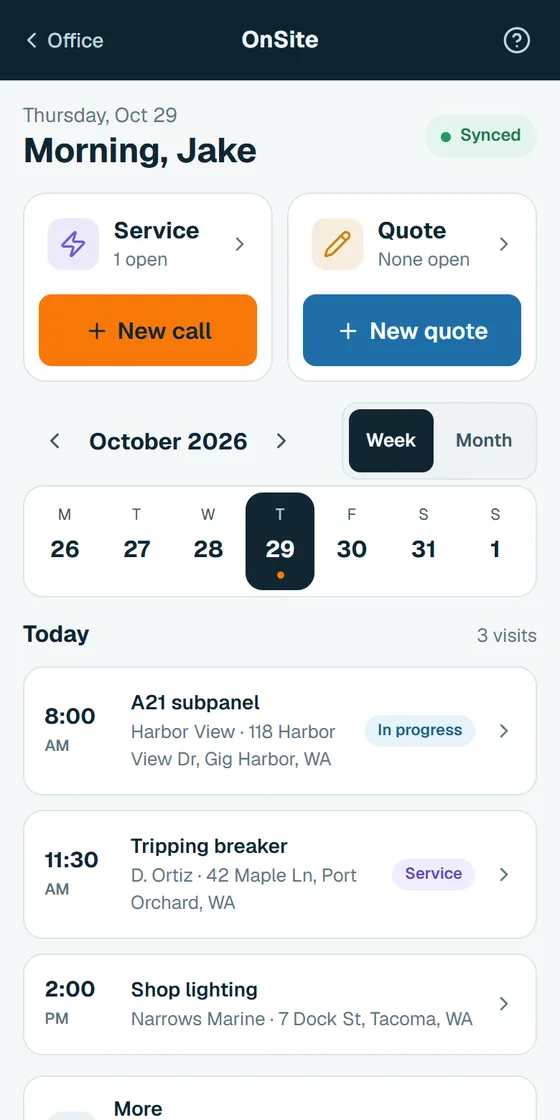
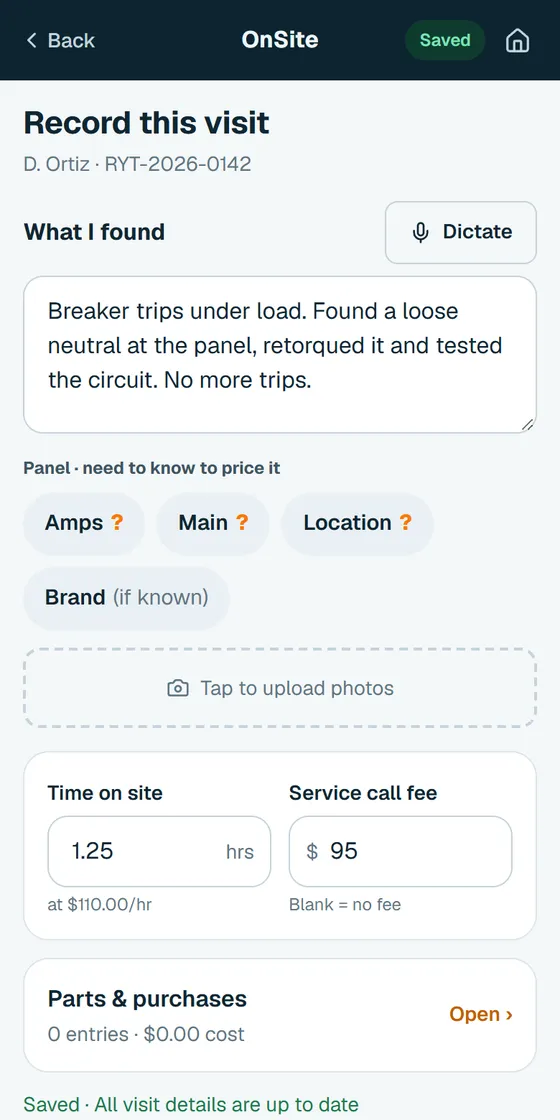
Each trade gets the records it actually keeps, so repeat calls start with the history in front of you.
See every trade on a build in one place, with what you budgeted next to what you've spent.
See GC setup →Run real jobs through it, not a demo account. By the end you'll know if it fits your shop.
The guided setup takes about 15 minutes. Add your business info, invite your techs and connect QuickBooks Online.
Take your next few service calls through it: photo, supply list, quote, schedule, invoice. Your techs work from OnSite, the techs' phone app.
If it's working, choose the plan for your crew size. If it's not, do nothing. You never entered a card, so there's nothing to cancel.
14 days free, then month to month. Adding someone inside your plan's range doesn't change your bill.
No credit card · No contract
Priced per shop, not per user. Count everyone who signs in: owner, office and techs. Customers never count.
Past your range? You move up a plan..
Cancel anytime. The shop owner cancels from Plan & billing in the app.
No setup fee. On customer card payments, your card processor charges its normal fee. Run Your Trades takes nothing.
Works withQuickBooks Online
Yes, with some help from us. Customers in QuickBooks Online come over in one click, and your price book imports from Excel or a CSV file. If your customers are in Jobber, Housecall Pro or a spreadsheet, send us the export through the contact page and we will help you move them.
OnSite, the techs' phone app, is made for a job site. Today's jobs, photos and notes are right there, and voice notes save typing. There's a walkthrough built in for new users.
No. Invoices and payments hand off to QuickBooks Online, so your books stay where your accountant expects them.
Yes. Notes, photos, checklists and change orders save on the phone and sync when you're back in range.
No. After the 14-day trial it's month to month, and you can cancel any time.
Everyone who signs in: the owner, office staff and techs. Customers never count.
You move up to the plan that fits your headcount, and we tell you first. Adding someone inside your current range doesn't change your bill. Past 20 people, contact us for custom pricing.
The shop owner opens Plan & billing in the app and cancels there. There's no contract.
Yes, on every plan, including Solo. Photo supply lists and the other AI tools share a monthly allowance for the whole shop, and bigger plans get more. If you use it up, the AI tools pause until your next billing date and everything else keeps working.
HVAC, electrical and plumbing, plus a general contractor package that puts every trade on a build in one view.
You talk to a real person, with no bots. Send a request through the contact page and we reply within 1 business day. We schedule a call when that is the fastest fix.
Add one real job and see if it saves you the evening.